
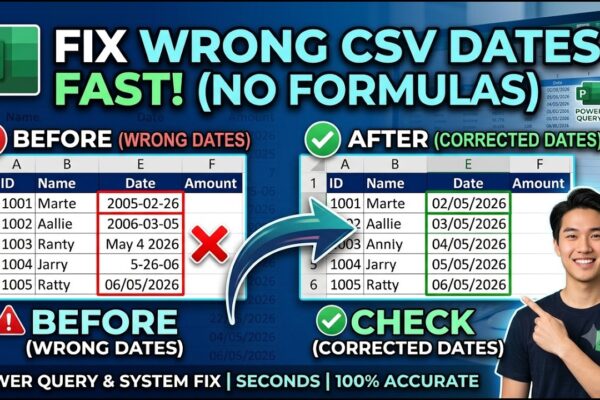
Excel: How to Correct Wrong Date Formats in Seonds without using Complex Forumulas and Methods.

Dealing with wrongly entered dates in CSV files can be a real headache, especially when Excel automatically auto-corrects them into the wrong format (like misinterpreting days as years). Using complex formulas like LEFT, MID, or RIGHT often leads to unpredictable results. Crucially, if Excel auto-formats your dates incorrectly, never save the file as a CSV…


Read More

PowerPoint: Creating Automated Dynamic Presentations with SQL Server Data Integration using Excel

Unlock the power of automation by transforming your static PowerPoint decks into a real-time data engine. This tutorial guides you through the seamless integration of SQL Server, Excel, and PowerPoint, allowing you to build presentations that update with a single click. By leveraging SQL for robust data storage and Excel’s Power Query for live connections,…

Read More

Performance Evaluation in MS Excel using Pivot Tables Ranking Technique

This video tutorial provides a comprehensive guide to conducting performance evaluations using global sales data. By analyzing metrics across North America and Europe, we explore how companies identify their top-tier talent based on key performance indicators (KPIs) like Sales, Cost, and Profit. Whether you’re looking to announce annual “Top Performers” or simply want to understand…

Read More

From Code to Clicks: Work hard or Smart? Simplifying Reporting with Excel Pivot Tables

This video demonstrates how to seamlessly integrate Microsoft Excel with SQL Server to streamline data reporting and visualization. The process begins by preparing a large dataset in Excel, saving it as a CSV file, and importing it into SQL Server Management Studio using the “Import Flat File” wizard. The tutorial highlights important data cleaning steps,…

Read More

Stop Writing Complex Scripts: Generate Massive Random Data Faster Using Microsoft Excel

Generating a large, customized dataset for practice in Power BI, SQL, or Python doesn’t have to involve writing complex scripts or hunting for the perfect file online. While many analysts rely on intricate SQL queries or long Python blocks to randomize data, Microsoft Excel offers a far more intuitive and flexible alternative. By using simple…

Read More

Why INDEX & MATCH Beat VLOOKUP in Excel

This MS Excel tutorial introduces the INDEX and MATCH functions, demonstrating their use with employee data including names, age, gender, employee number, and salary. The INDEX function retrieves a value from a cell based on provided row and column numbers. The tutorial explains how to determine these numbers, including using the COLUMN and ROW functions…

Read More

Excel & SQL Server Integration: Effortless Data Analysis, Visualization and Reporting

Tired of wrestling with complex SQL queries just to analyze your data? Welcome to this comprehensive tutorial where we’ll unlock the power of Microsoft Excel to seamlessly connect with your SQL Server database! Forget intricate coding – Excel empowers even non-technical users to effortlessly extract, analyze, and visualize crucial business information directly from your SQL…

Read More

Save Hours with Power Automate: Automating Multi-File Excel Consolidation

This Power Automate tutorial demonstrates how to automate the consolidation of multiple Excel files containing regional sales data into a single, time-stamped summary file, all triggered by a single button press. The process involves creating variables for file paths, establishing subflows to prepare the consolidated file (including copying, renaming with a date/time stamp, and opening…

Read More